# System information
These functions help you manage users and the system.
In the System information group, you can open the settings for the following menu items:
# Users in system
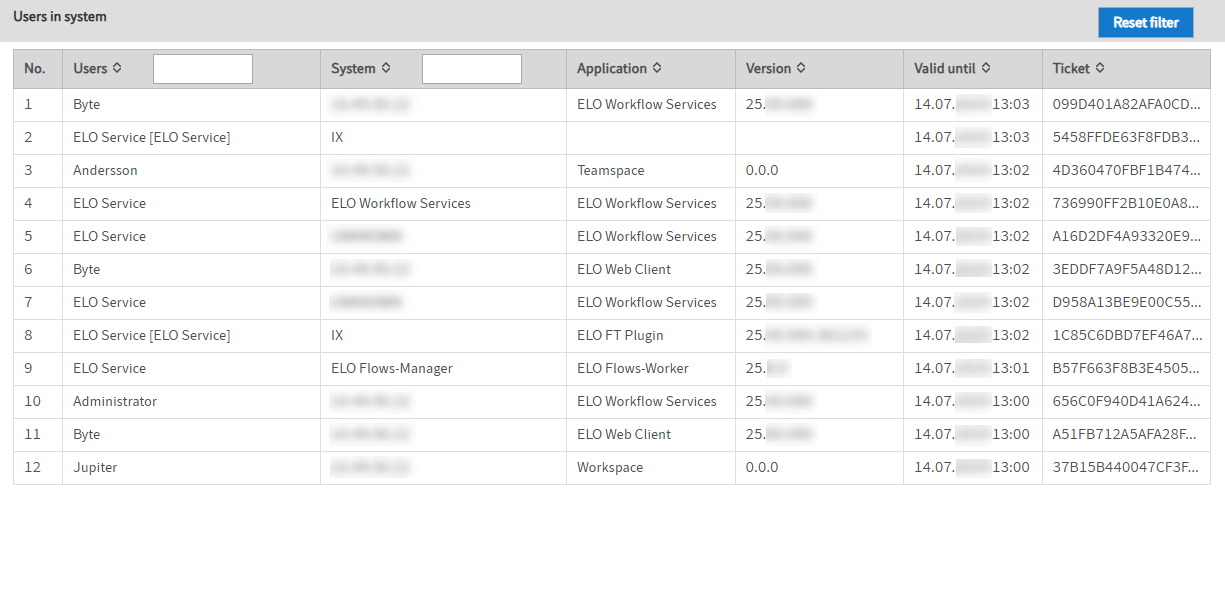
Under Users in system, you will find an overview of the users currently logged in to the ELO system.
Information
User accounts for various services and modules are also shown here.
# Server information
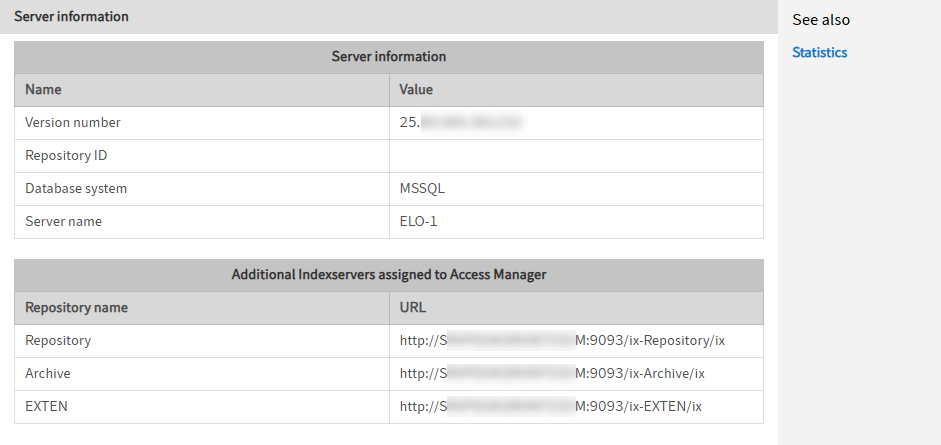
Under Server information, you find an overview of the server settings.
# Statistics
Under Statistics, you'll find an overview of the highest IDs assigned in the repository.

# License update and report
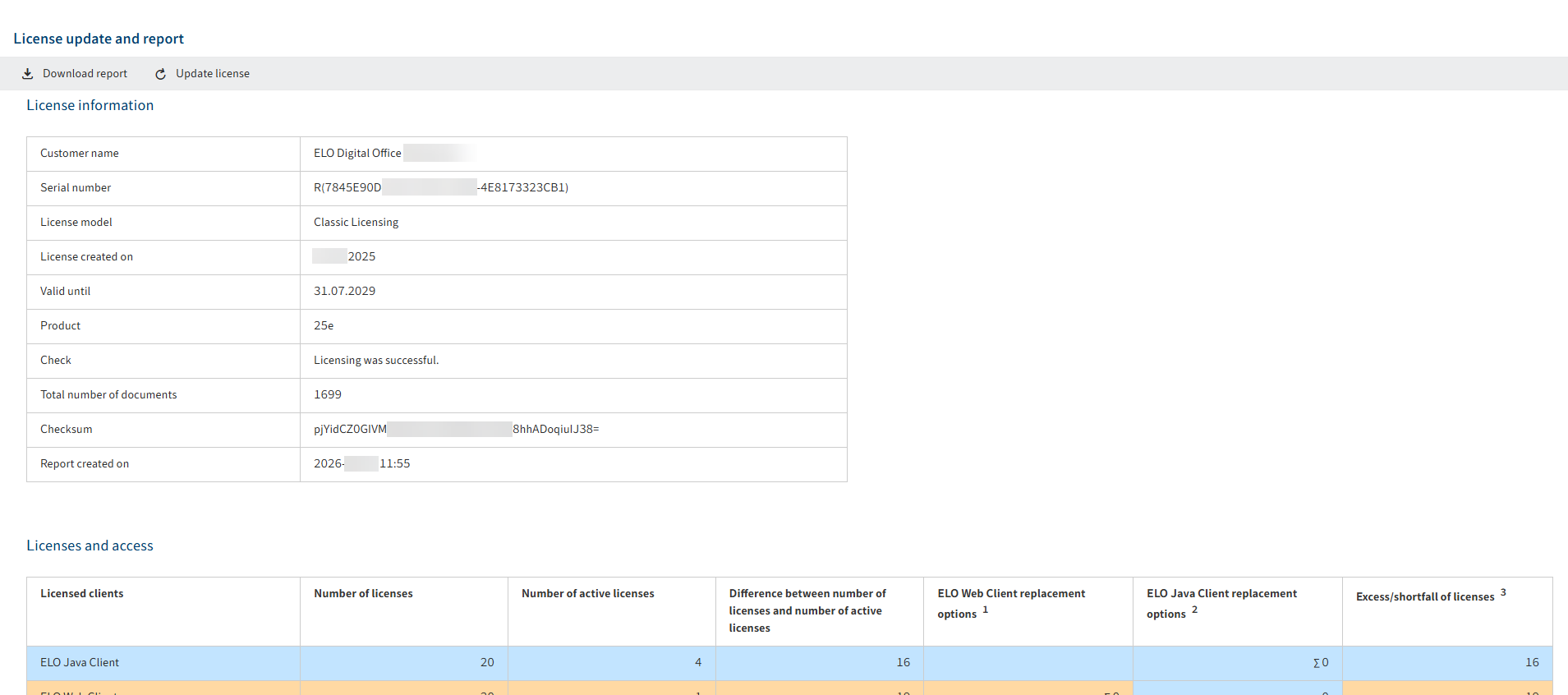
In the License update and report area, you can access information about the respective license. Two license models are available: Classic Licensing and Configured User Licensing.
You can download a report about existing licenses for ELO Business Solutions, modules, interfaces, integrations, and courses as well as information. With Classic Licensing, there is also a table with information about users who have performed write actions via the ELO Java Client, ELO Web Client, and the ELO Indexserver.
You will find more information in the documentation under ELO server > Installation and operation > Maintenance and monitoring > Information > License update and report (opens new window).
A dedicated URL in the ELO Administration Console redirects you to a web page where you can verify the ELO license report for validity or potential manipulation.
You will find more information in the documentation under ELO server > Installation and operation > Maintenance and monitoring > Information > License update and report > Verify ELO license report (opens new window).
# Test checksums
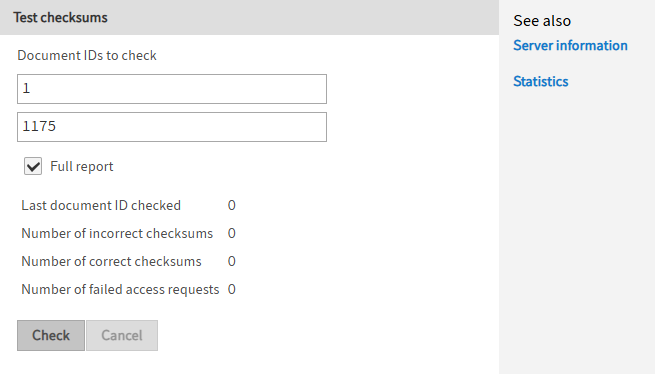
Under Test checksums, you can test the integrity of one or more documents.
You will find more information in the documentation under ELO server > Installation and operation > Maintenance and monitoring > Other topics > Test checksums (opens new window).