# Monitoring
You can monitor an active replication using the transfer overview. To open it, select Transfer overview on the ribbon.
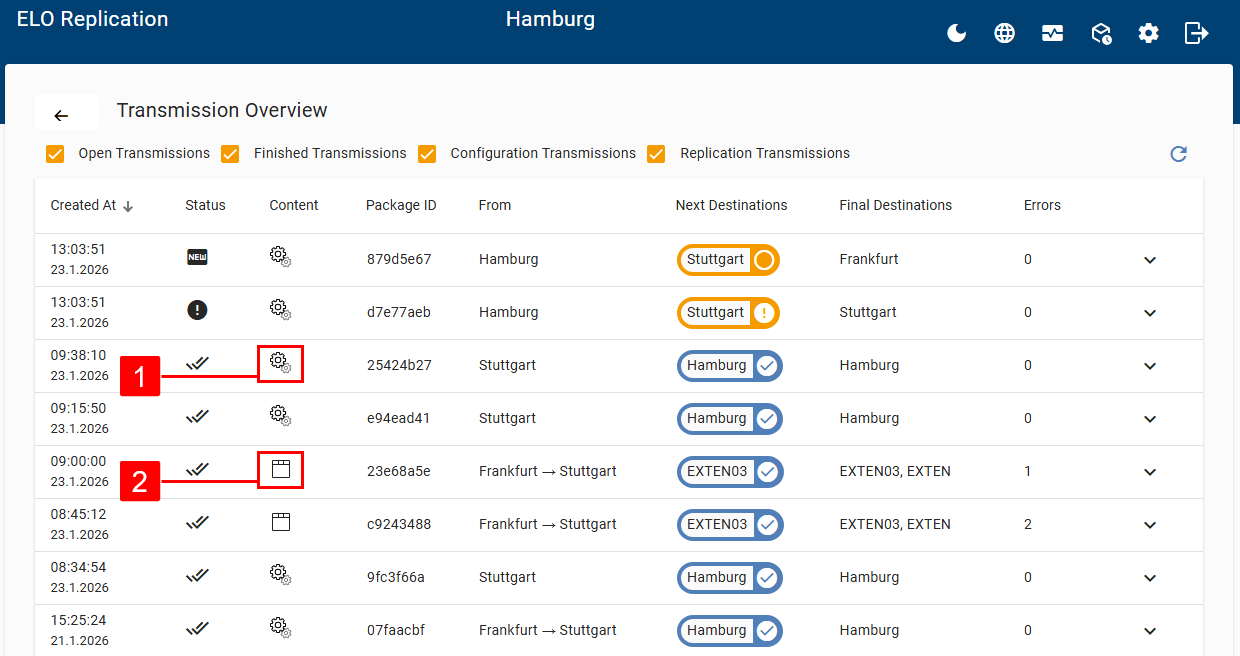
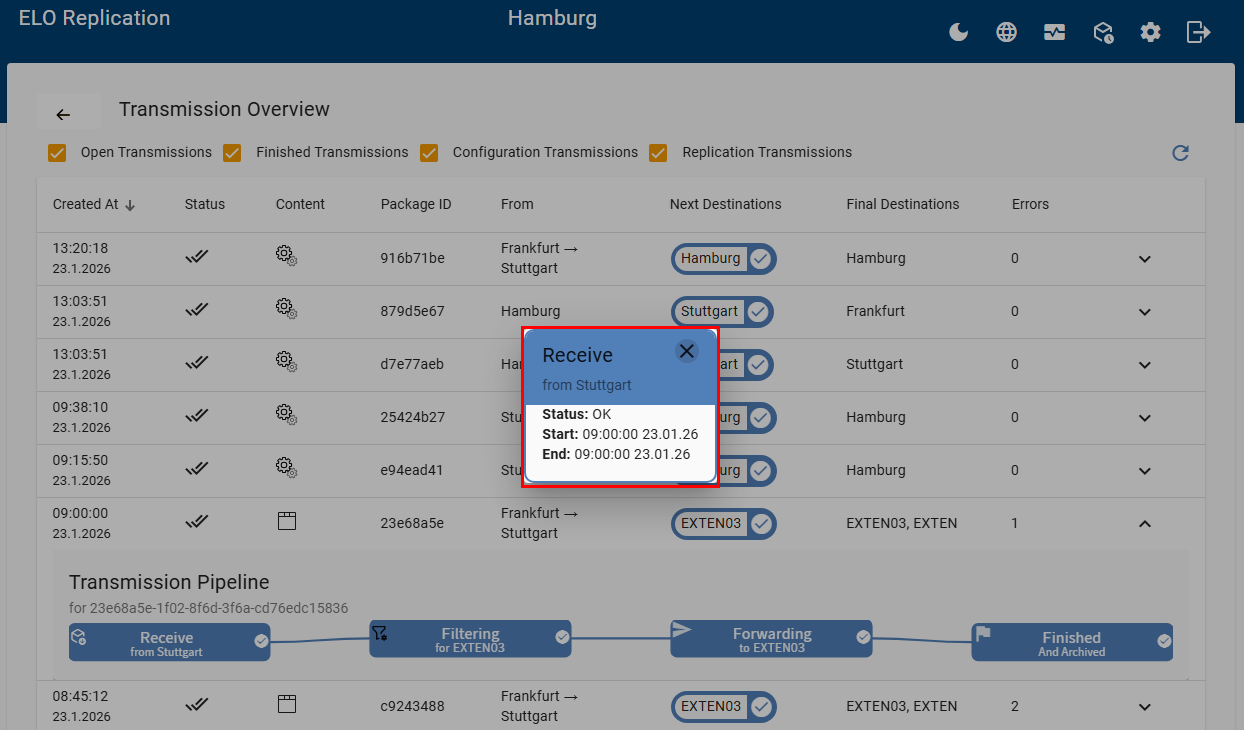
In the transfer overview, you see a list of the jobs. You can filter by open and closed transfers as well as by configuration and replication transfers. Transactions marked in blue indicate successful transfers. Transfers marked in orange are either not yet completed or contain errors. The following job types are shown:
- Configuration: If you have changed the configuration of an active replication and want to publish your changes, the changes are automatically transferred to all sites. You will recognize the transfer of a new configuration based on the gear icons (1).
- Replication: You will recognize a replication job based on the repository icon (2).
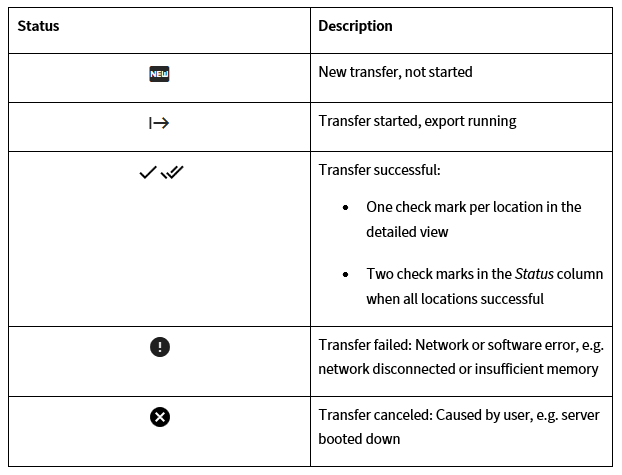
The following statuses are shown in the transfer overview:
Selecting the entry opens the detailed view with the transfer pipeline.
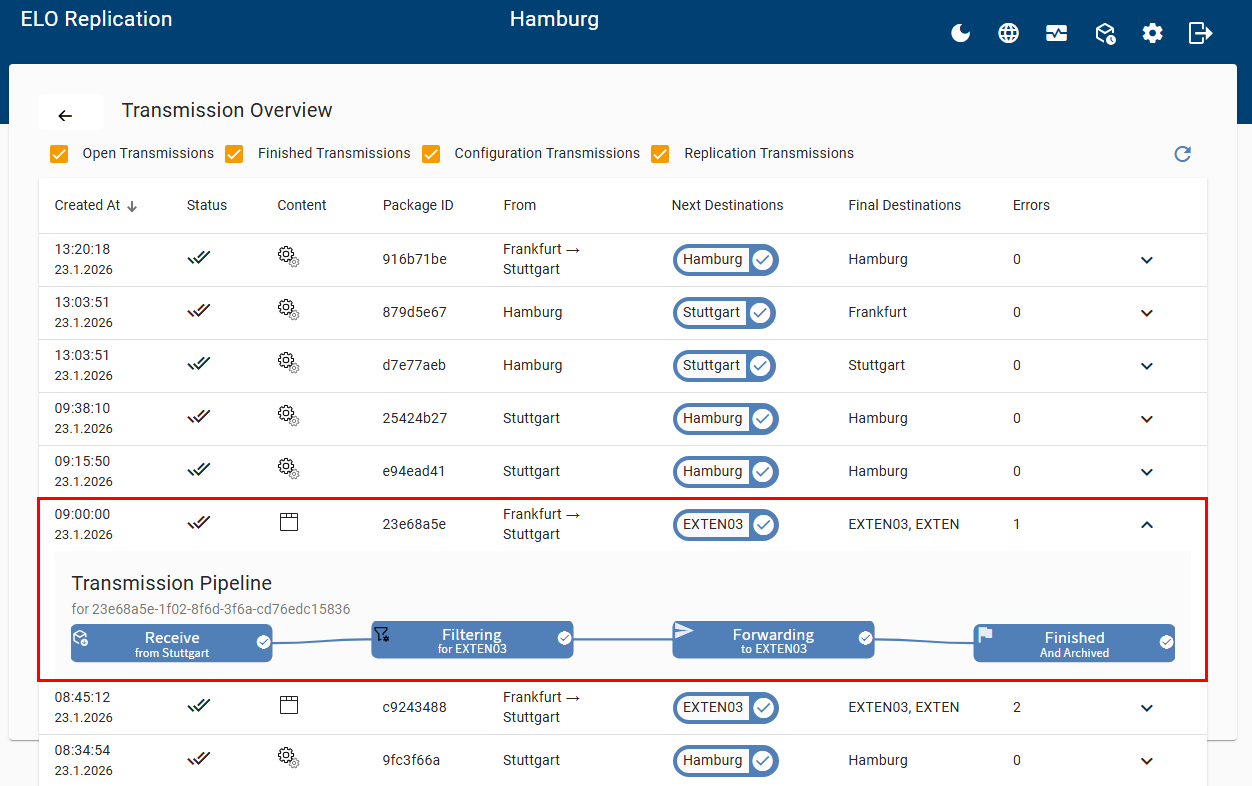
You can view more detailed information in a dialog box by clicking the respective transfer step in the transfer pipeline.
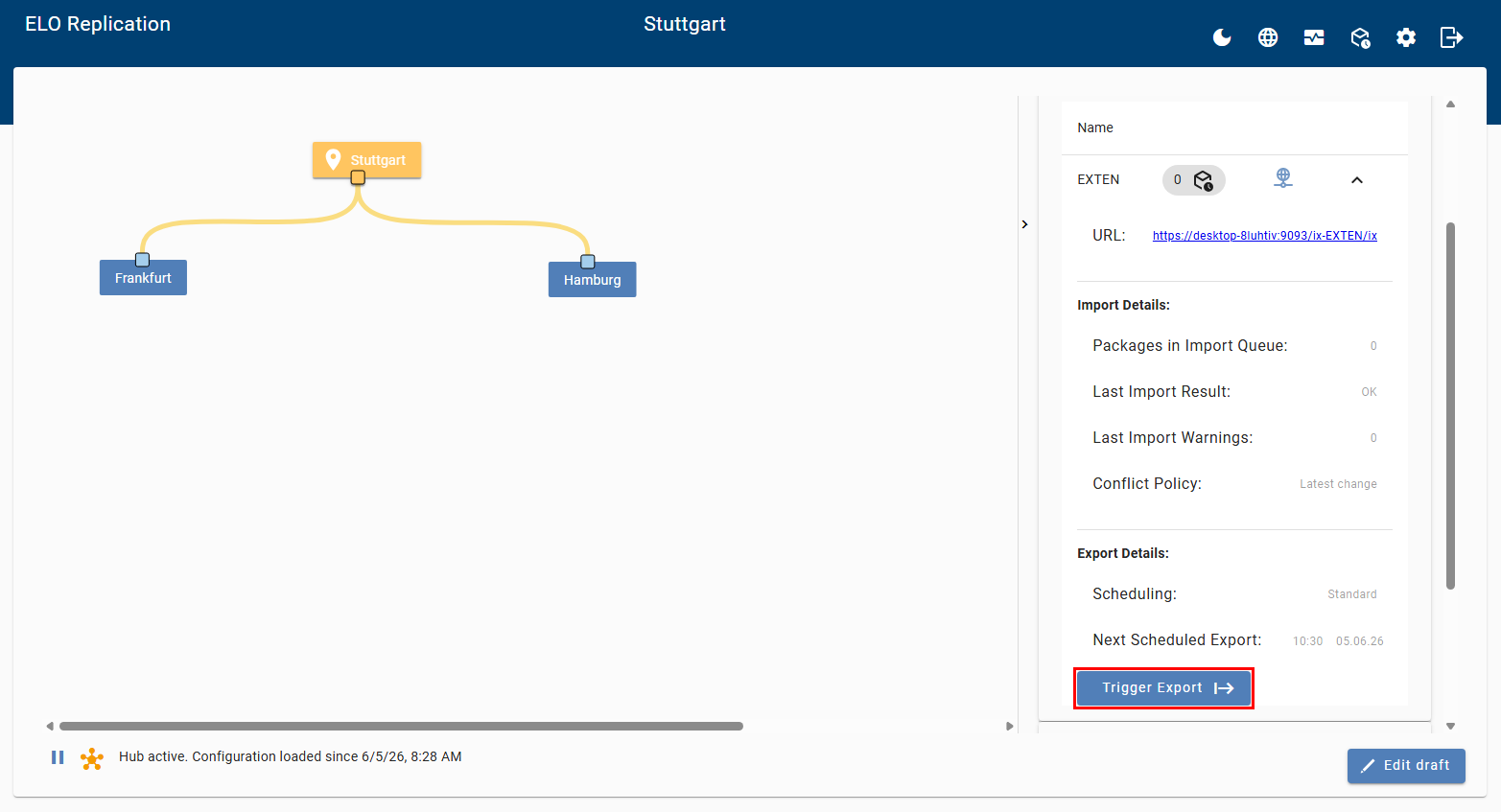
On the site overview page, you can manually start an export from the local repository for test purposes. The export starts immediately, regardless of the configured schedule. Select Trigger export.
# Handling errors
The following section describes the behavior starting with ELO Indexserver version 23.
Error when exporting from the ELO Indexserver: If an error occurs while exporting an item, e.g. because a document was deleted in the document path, a SORD linking to the item that caused the error is created in the repository under Administration > Replication Base. The error message is displayed under Metadata > Extra text.
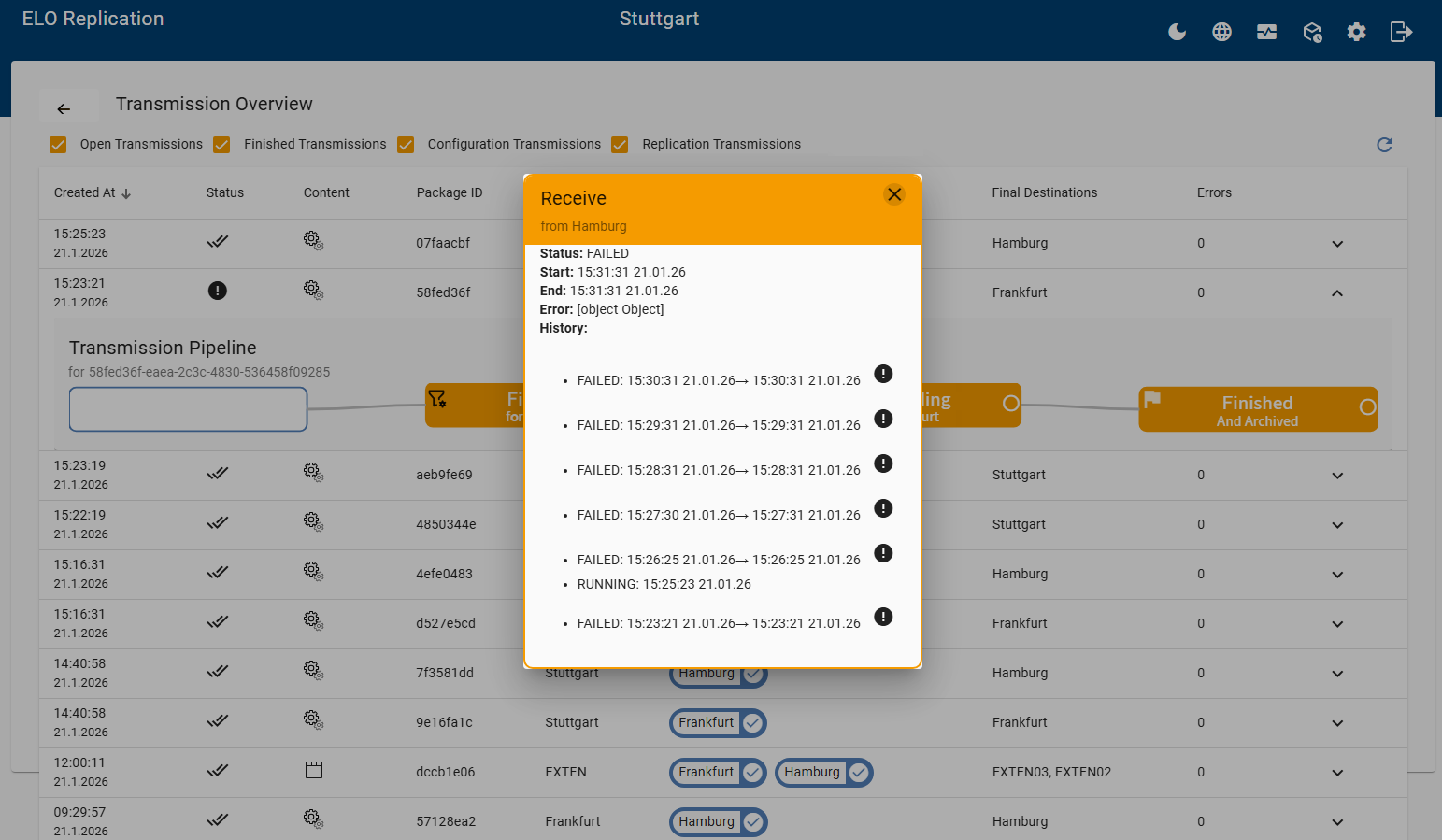
Errors that prevent an import (to hub or ELO Indexserver): These are errors such as a corrupt replication package, an unavailable site/ELO Indexserver, or the transfer was aborted. You can recognize errors like these by the exclamation mark in the Status column of the transfer overview. Selecting the entry opens the transfer pipeline. You can download an error message in JSON format in the detail view of the transfer step. ELO Replication attempts to send the data set once every minute. The data set is transferred all over again, regardless of when the previous transfer was interrupted.
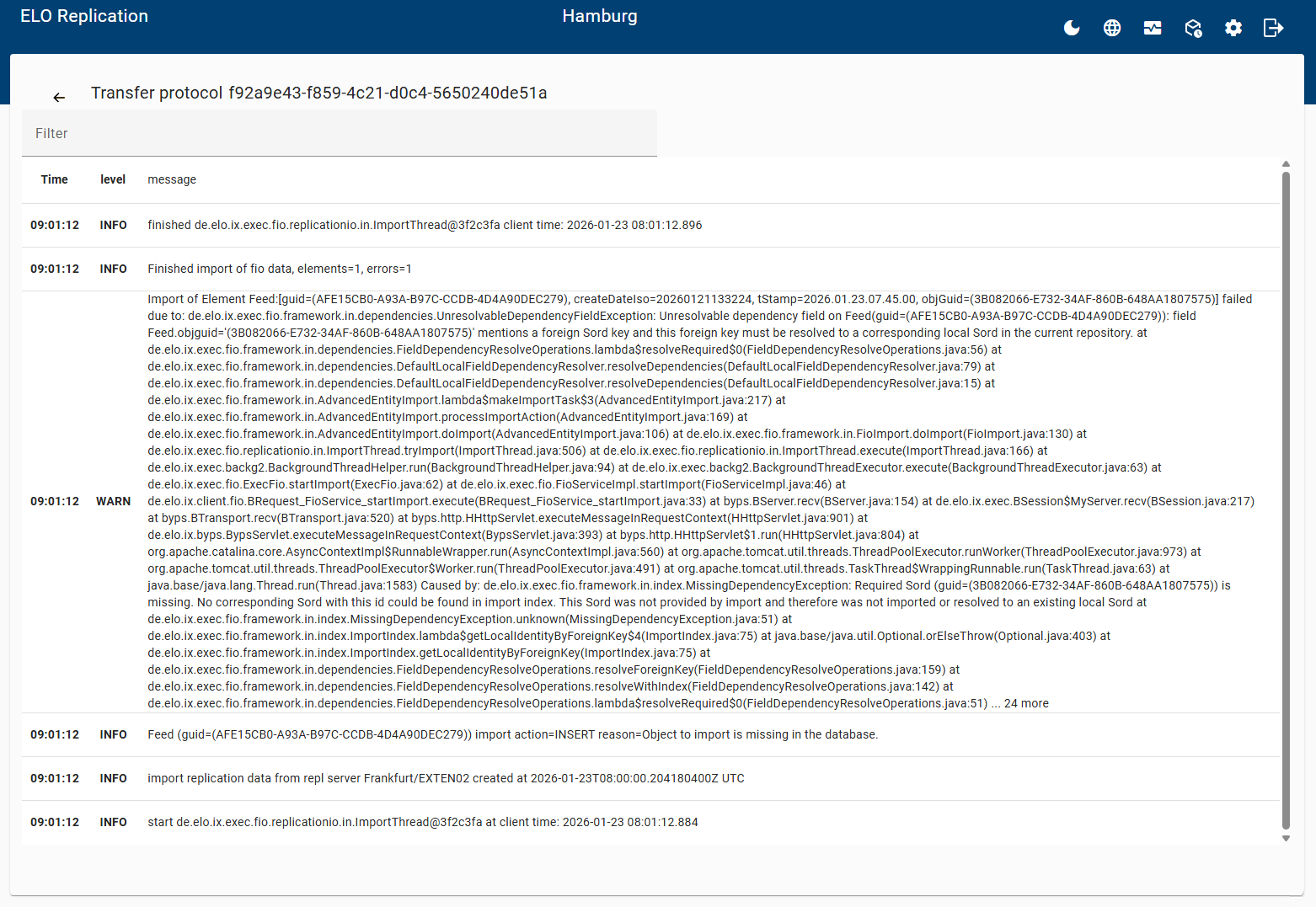
Errors that prevent an import of individual items (to the ELO Indexserver): These are errors such as if the item dependency is not found, or an item violates rulesets (name too long, user GUID already assigned). In this case, ELO Replication does not attempt to transfer the data again. The import is completed and the error is logged. In the transfer overview, select the detail view for the data transfer in the transfer pipeline. A dialog box opens with a link to the transfer log, where the errors are listed.
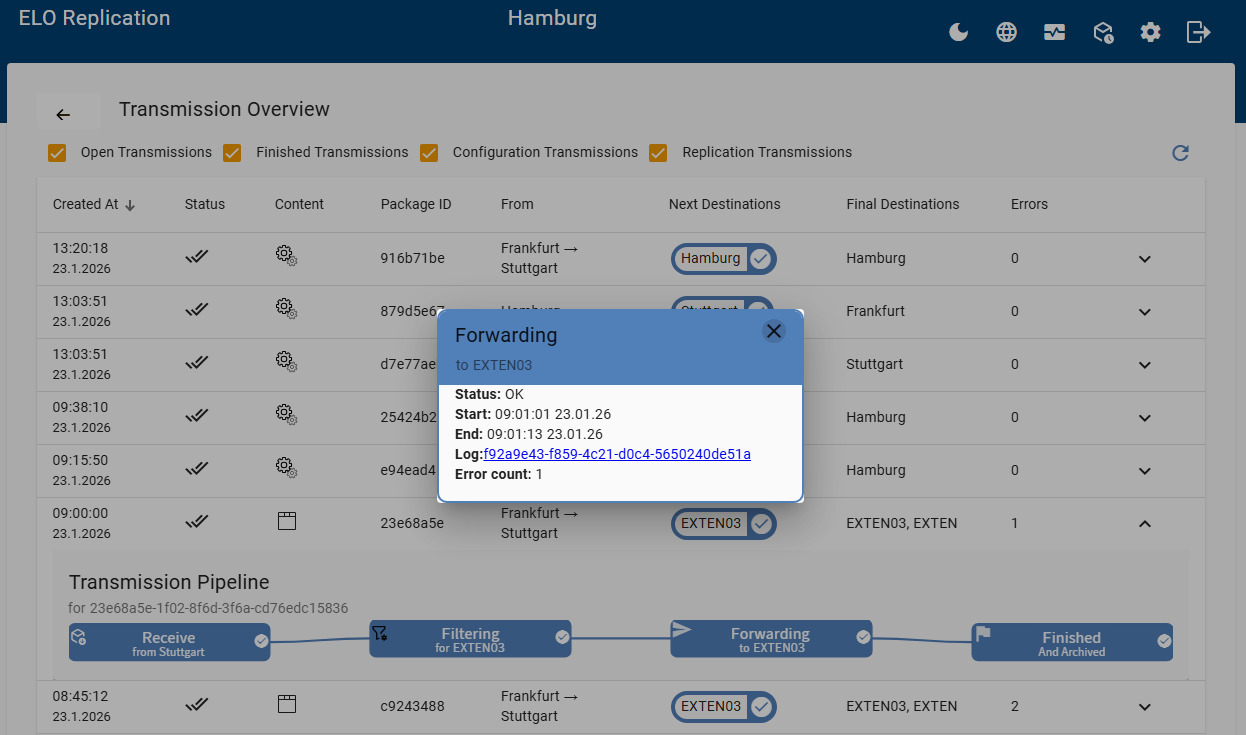
After selecting the protocol link, the information of the transfer protocol is displayed in the program interface.