ELO Docs
ELO for Microsoft 365
Current version
  • Current version (opens new window)
  • 25.0 (LTS) (opens new window)
  • 23.0 (LTS) (opens new window)
Language
  • Deutsch
  • English
  • Français
Git (opens new window)
ELO Sync
ELO Bot for Microsoft Teams
ELO Sync
ELO Bot for Microsoft Teams
  •  

    • Search
    • Share documents in Microsoft Teams
    • Notifications of new ELO tasks
    • Pin ELO Bot
    • Call ELO Business Solutions
    • Call ELO Flows
Current version
  • Current version (opens new window)
  • 25.0 (LTS) (opens new window)
  • 23.0 (LTS) (opens new window)
Language
  • Deutsch
  • English
  • Français
Git (opens new window)
Download PDF

# Share documents in Microsoft Teams

The ELO Bot enables you to share documents stored in ELO in a chat.

Use the search to find the document and send it. The chapter Search explains how to start a search.
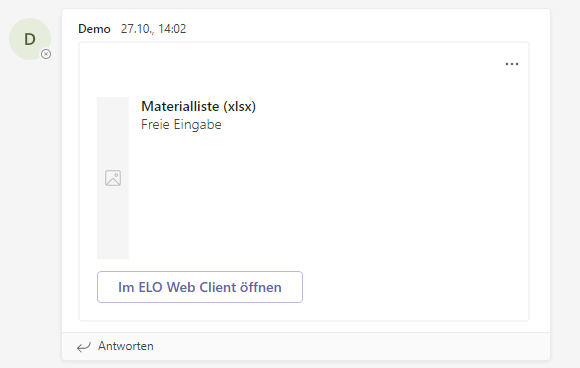
ELO document shared in Microsoft Teams

The ELO Bot uses adaptive cards to share documents.

Clicking the Open in ELO Web Client button takes you to the document in ELO.

Last updated: February 24, 2025 at 2:58 PM

← Search Notifications of new ELO tasks →

en-us
latest