# Counter implementation
As defined in the task requirements, we want to develop a component that offers a document counter. Users should be given the option to choose an existing counter but also to create a new one. When creating a new counter, users should be able to enter a prefix and postfix.
The changes we've already made in our project enable us to create a component that automatically establishes a connection with the ELO Indexserver.
Components are deployed by using the annotation @Component directly above the class name in the code.
A connection to the ELO Indexserver is established automatically via the annotation @Connection, in our case by declaring our instance variable ixConnect.
@Component(version = "0.0.1", namespace = "academy.training",
name = "Counter", displayName = "Counter.display.name")
public class CounterComponent {
  @Connection
  IXConnection ixConnect;
}
We will perform the following implementation steps together now:
# Logger for log outputs
Make sure to select the correct import packages. VS Code offers multiple import options for the logger class (import org.slf4j.Logger, org.slf4j.LoggerFactory)
private static final Logger LOG = LoggerFactory.getLogger(CounterComponent.class);
# Service method for the counter ('Service' tab)
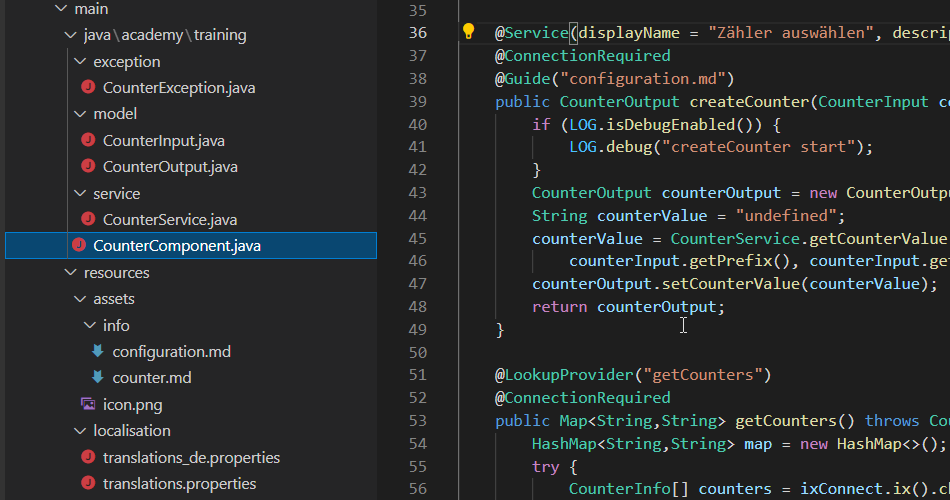
First, we need a class that forwards the counter value to the following components in the flow via a key. This class is filed in our project structure under model.
package academy.training.model;
public class CounterOutput {
  private String counterValue;
  public String getCounterValue() {
    return counterValue;
  }
  public void setCounterValue(String counterValue) {
    this.counterValue = counterValue;
  }
}
We realize our service implementation in our class CounterComponent.java using the annotation @Service and @ConnectionRequired. This ensures that the service can be selected in the administration and that it is available via the connection to the ELO Indexserver. We will gradually extend the implementation over the course of our training.
@Service(displayName = "Select counter")
@ConnectionRequired
public CounterOutput createCounter() {
  if (LOG.isDebugEnabled()) {
    LOG.debug("createCounter start");
  }
  CounterOutput counterOutput = new CounterOutput();
  String counterValue = "undefined";
  //TODO getCounterValue
  return counterOutput;
}
# Input fields for counter name, prefix, and postfix (Settings tab)
We will need another new class CounterInput.java filed in the project structure under model. In this class, we will assign the elements for the counter selection (Settings tab) via annotations. Via the annotation @Property, you define the individual input fields, which can be grouped via @PropertyGroups and @PropertyGroup. In the groups, you can set the order via @DisplayOptions. We also want to fill the suggestion list with existing counters. We use the annotation @Lookup and implement our own logic based on the ELOix API.
Important
You will have to program the logic for the suggestions @Lookup in the component class @Component. Here, it is provided via @LookupProvider.
The new class CounterInput.java also has to be transferred in the component class in the @Service service method as an object. Finally, we will implement the logic for creating the counter in CounterService.java in the service project folder.
Possible implementation:
# CounterException.java
public class CounterException extends Exception {
  public final static String COUNTERERROR = "Error creating counter";
  public CounterException() {
    super(CounterException.COUNTERERROR);
  }
  public CounterException(String errorMessage) {
    super(errorMessage);
  }
}
# CounterInput.java
public class CounterException extends Exception {
package academy.training.model;
import com.elo.flows.api.components.annotations.Guide;
import com.elo.flows.api.schema.annotations.DisplayOptions;
import com.elo.flows.api.schema.annotations.Lookup;
import com.elo.flows.api.schema.annotations.Property;
import com.elo.flows.api.schema.annotations.PropertyGroup;
import com.elo.flows.api.schema.annotations.PropertyGroupRef;
import com.elo.flows.api.schema.annotations.PropertyGroups;
@Guide("configuration.md")
@PropertyGroups({@PropertyGroup(displayName ="New counter", name="groupNewCounter")})
public class CounterInput{
  @Property(displayName = "Counter name", required=true, description="Enter postfix and prefix for new counter")
  @Lookup("getCounters")
  private String counterName;
  @Property(displayName ="Prefix", description="Enter counter name above")
  @PropertyGroupRef("groupNewCounter")
  @DisplayOptions(order = 1)
  private String prefix;
  @Property(displayName ="Postfix", description="Enter counter name above")
  @PropertyGroupRef("groupNewCounter")
  @DisplayOptions(order = 2, suggestValue = true)
  private int postfix = 6;
  public String getCounterName() {
    return counterName;
  }
  public void setCounterName(String counterName) {
    this.counterName = counterName;
  }
  public String getPrefix() {
    return prefix;
  }
  public void setPrefix(String prefix) {
    this.prefix = prefix;
  }
  public int getPostfix() {
    return postfix;
  }
  public void setPostfix(int postfix) {
    this.postfix = postfix;
  }
}
# CounterComponent.java
package academy.training;
import de.elo.ix.client.*;
import java.util.HashMap;
import java.util.Map;
import com.elo.flows.api.components.annotations.*;
import org.slf4j.Logger;
import org.slf4j.LoggerFactory;
import academy.training.exception.CounterException;
import academy.training.model.CounterInput;
import academy.training.model.CounterOutput;
import academy.training.service.CounterService;
@Component(version = "0.0.1", namespace = "academy.training", name = "Counter", displayName = "Counter.display.name")
@Guide("counter.md")
public class CounterComponent {
  private static final Logger LOG = LoggerFactory.getLogger(CounterComponent.class);
  @Connection
  IXConnection ixConnect;
  @Service(displayName = "Select counter", description = "Select a counter for your document")
  @ConnectionRequired
  @Guide("configuration.md")
  public CounterOutput createCounter(CounterInput counterInput) {
    if (LOG.isDebugEnabled()) {
      LOG.debug("createCounter start");
    }
    CounterOutput counterOutput = new CounterOutput();
    String counterValue = "undefined";
    counterValue = CounterService.getCounterValue(ixConnect, counterInputgetCounterName(),
    counterInput.getPrefix(), counterInput.getPostfix());
    counterOutput.setCounterValue(counterValue);
    return counterOutput;
  }
  @LookupProvider("getCounters")
  @ConnectionRequired
  public Map<String,String> getCounters() throws CounterException {
    HashMap<String,String> map = new HashMap<>();
    try {
      CounterInfo[] counters = ixConnect.ix().checkoutCounters(null, true, LockC.NO);
      for (CounterInfo counterInfo : counters) {
        map.put(counterInfo.getName(), counterInfo.getName());
      }
    } catch (Exception e) {
      throw new CounterException(e.getMessage());
    }
    return map;
  }
}
# Counter logic
# CounterService.java (provided during the course of the training)
Contains the implementation of the logic for the counter and can be customized.
# Additional possible extensions
# Component triggers (REST)
As with @Service, a trigger method is implemented in the @Component component class. The annotations you need are @Trigger and @WebHook. Input and output classes are also implemented here.
# Integrating the JUnit test framework
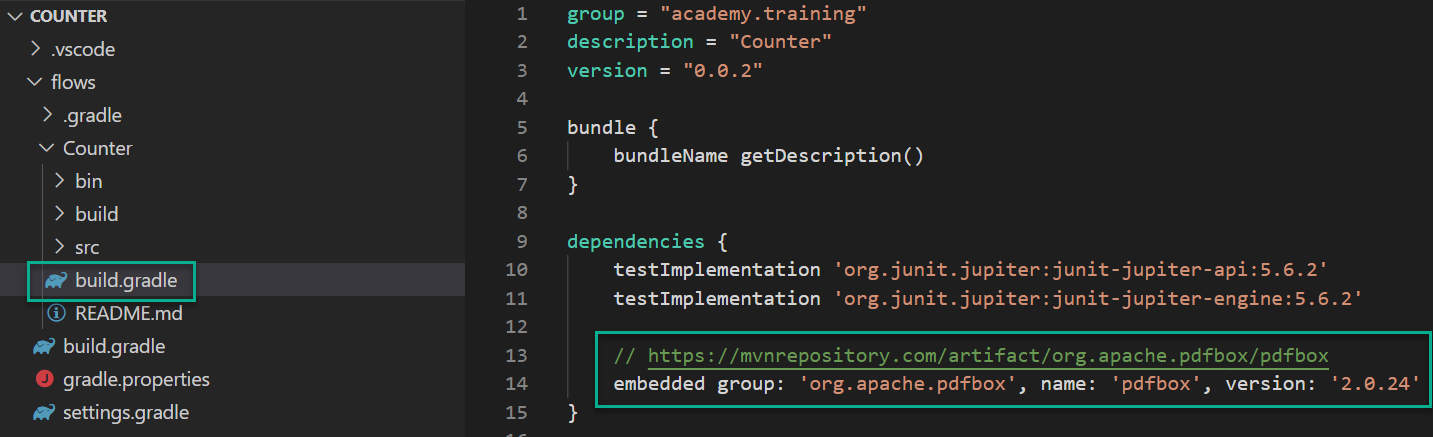
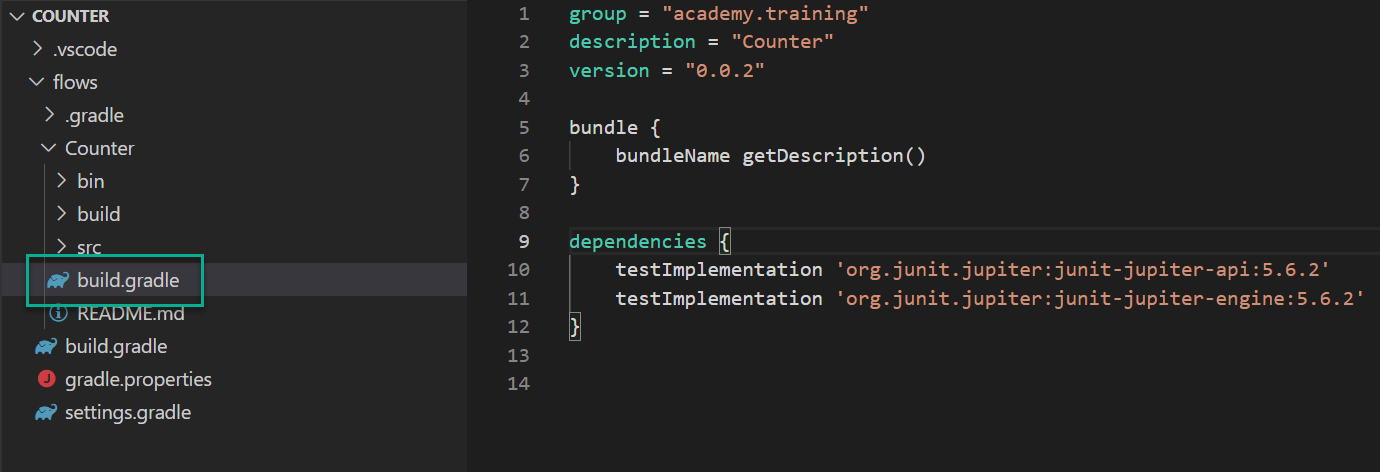
Add the following entries to the configuration file build.gradle.
Important
Make sure to add the entries to the correct build.gradle.
# Integrating custom libraries
Additional libraries are available via central repositories and can be integrated with Gradle.